
Why Your Floor Buffer Motor is Overheating
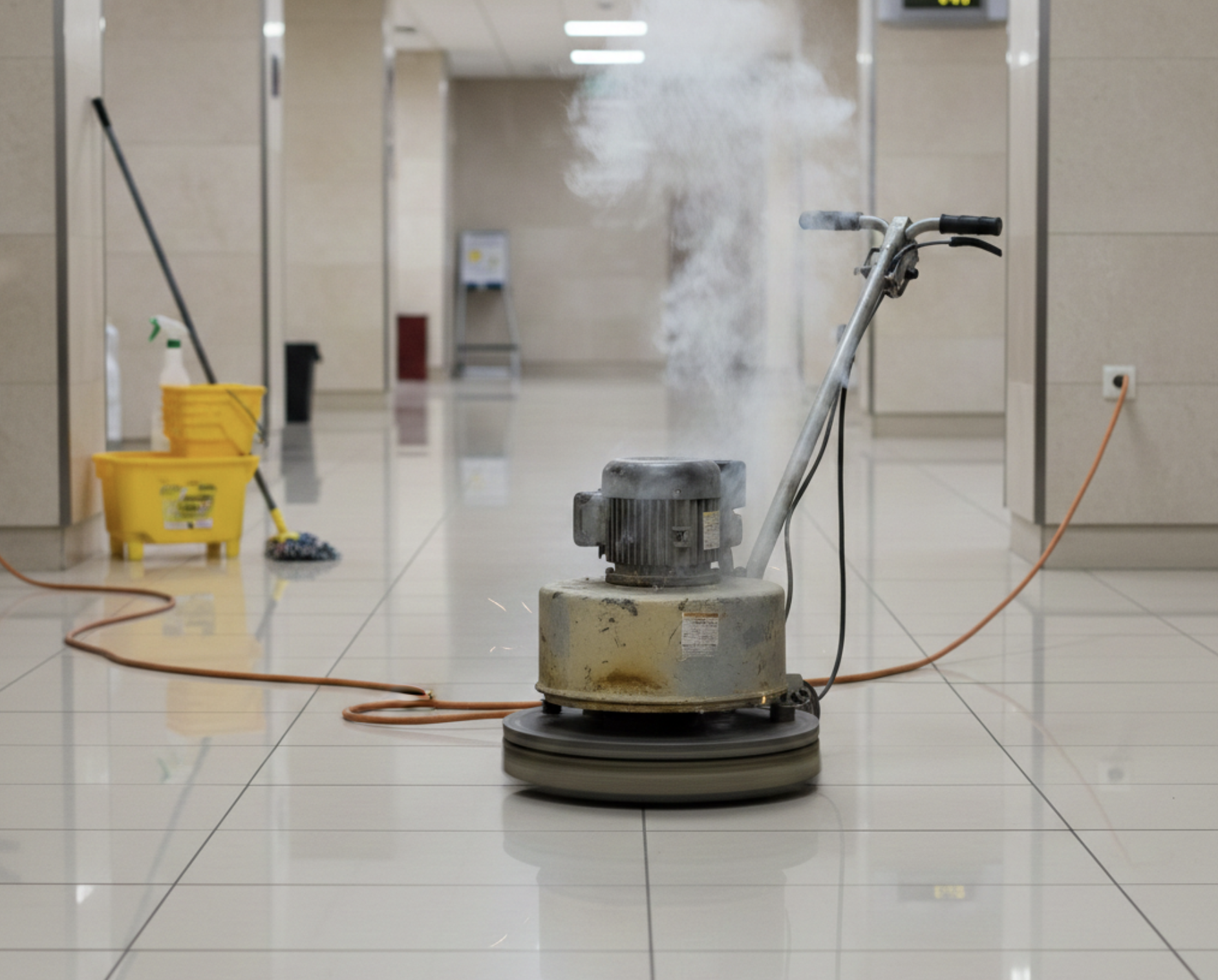
If you rely on floor buffers, burnishers, or floor scrubber equipment for your daily cleaning tasks, few things are more frustrating than experiencing sudden motor overheating. Understanding why your floor buffer motor is overheating is essential — not just for immediate repairs, but to ensure your equipment’s long-term performance and reliability. Addressing these problems early can help you save time, maximize the lifespan of your motor, and absolutely avoid costly downtime or repairs.
What Does It Mean When Your Floor Buffer Motor Overheats?
When a floor buffer motor overheats, you’ll often notice the machine running unusually hot, maybe to the point of being uncomfortable to touch. Other key red flags include a burning smell, the appearance of smoke, tripped circuit breakers, or the buffer shutting off unexpectedly mid-job. These aren’t just inconveniences: they’re your machine’s way of warning you that it’s under stress. Whether it’s an internal short circuit, a power cord issue, or excessive strain from a wrong floor pad or improper operation, ignoring these symptoms can quickly lead to bigger and pricier motor problems.
How Floor Buffers Work (Quick Overview)
To understand motor overheating, it helps to know how floor buffers function. At their core, these machines use an electric motor to spin a pad driver, which in turn rotates floor pads to scrub, polish, or burnish different floor types. The motor draws power (via a properly connected power cord or, in some cases, a propane tank or battery), and usually incorporates ventilation systems — fans and vents — that pull in cool air as the motor works. Internal components like the bearing cavity, iron core, rotor shaft, and brushes are designed to stay at safe operating temperatures, provided airflow is unimpeded and there are no common floor burnisher issues like blocked air vents or loose connections.
Common Causes of Motor Overheating
1. Blocked Airflow and Clogged Vents
Blocked air vents on your cleaning equipment are a leading cause of heat buildup. When dust, grime, or floor debris clogs the vents and cooling fans, air can’t move freely around the iron core and rotor shaft. This results in inadequate cooling and rapidly rising internal temperatures. Even small amounts of debris can disrupt airflow enough to overheat the motor, especially during demanding tasks or prolonged use.
2. Excessive Load or Improper Use
Floor buffers are designed with specific weight, pad, and speed ratings for various floor types. Using the wrong floor pad, running the machine at too high a speed, or applying too much downward force overloads the motor. This extra strain causes electrical components to work overtime and generate excess heat. Repeatedly scratching floors or trying to speed through jobs can easily push your motor past its design limits.
3. Electrical Issues
Electrical faults are another key culprit. Problems like exposed wires, short circuits, loose connections, damaged power cords, or even an outlet that’s not providing stable voltage all contribute to motor overheating. If your generator doesn’t match the voltage or amperage needs of your floor buffers, or you use an extension cord that’s simply too small, your machine compensates by pulling more current. This is a fast formula for overheating and, in severe cases, fire hazards.
4. Worn or Damaged Motor Components
The smooth spinning of your motor depends on precise alignment and healthy parts. Worn bearings, misaligned rotor shafts, grinding brushes, a bearing cavity in need of lubrication, or an armature installed incorrectly can all generate unnecessary friction and heat. This not only accelerates wear but can permanently damage your equipment if left unresolved.
5. Battery or Power Supply Problems
Your floor buffer might operate on a battery, plugin, or even a propane tank. Battery models with faulty cells, unbalanced charging, or a failing charger can draw uneven current, stressing the motor. Similarly, if your floor buffer is plugged in but the power supply, cord, or outlet isn’t up to the task, the motor will heat up as it works harder for the power it needs.
6. Thermal Overload Protection Activation
Most modern buffers and floor scrubbers feature thermal overload protection devices — a vital safeguard. When temperatures soar past safe levels, these systems automatically cut power to prevent catastrophic damage to the motor. While this helps protect your investment, frequent activation is a serious warning that something beneath the surface requires prompt professional maintenance.
Symptoms Your Motor Is Overheating
Warm or Hot Motor Housing
When your motor housing feels unusually warm or even hot to the touch, it’s a clear sign that internal temperatures are climbing to unsafe levels.
Burning Smell or Smoke
A burning smell, often like hot plastic or electrical components, indicates that insulation or wiring is being cooked by excess heat. Smoke is a far more urgent alarm; do not continue using the equipment.
Machine Stops Mid-Job or Trips Breaker
Sudden power loss during operation — especially if your circuit breaker trips or the machine won’t restart — usually means the thermal overload has kicked in, or an electrical fault is drawing too much current.
Reduced Performance or Slow RPM
If your floor burnisher or buffer starts running more slowly, doesn’t maintain consistent speed, or can’t keep up with jobs that used to be easy, overheating could be damaging the windings or causing power loss.
Step-by-Step Troubleshooting Guide
Step 1: Inspect Cooling Vents and Fans
First, turn off and unplug the machine. Check all airflow openings, fan guards, and blocked air vents. Clean out dust and grime with compressed air or a soft brush, and make sure all internal fans are spinning freely. Restoring airflow is often all you need to prevent repeat motor overheating.
Step 2: Check Power Source and Cables
Inspect the entire length of your power cord for cuts, exposed wires, or cracking near the plug. Make sure all connectors are properly connected and that your extension cord is heavy-duty enough for your cleaning equipment. Test the wall outlet or generator; voltage that’s too low or inconsistent can quickly overheat your buffer.
Step 3: Examine Motor Brushes and Bearings
Remove the brush covers and look for sparking, excessive wear, or residue (a sign of worn brushes). Test that the bearings turn smoothly on the rotor shaft and that there’s no rough grinding. Worn bearings or damaged brushes should be replaced ASAP to restore safe operation and avoid scratching floors.
Step 4: Verify Correct Pads and Operation Technique
Double-check that you’re using the correct floor pads for your floor type and the task at hand. Using abrasive pads on delicate surfaces or pushing the machine too hard can easily stress the motor. Review your pad driver and make sure it’s installed correctly — incorrectly installed parts dramatically increase mechanical strain.
Step 5: Let the Motor Cool Down and Rest
If you’re working long shifts or large spaces, take periodic breaks. Even the best motors need time to dissipate heat, and pushing continuously will eventually activate the thermal cutoff. Allowing the machine to cool intermittently significantly extends its life and performance.
When to Call a Professional
Certain situations are too risky for DIY fixes. Internal motor winding issues, persistent short circuits, or extensive wiring faults should only be handled by a qualified technician. Attempting to resolve these without proper tools or knowledge not only risks voiding your warranty but can also compromise operator safety. If the problem persists after basic troubleshooting, don’t hesitate to seek professional maintenance or replacement services for pads, motors, or other critical components.
Preventative Maintenance Tips
- Regularly clean vents, fans, and all air paths to prevent debris buildup.
- Inspect and replace worn brushes and bearings before they fail.
- Check all power cords, connectors, and extension cables for damage or loose connections each time you use your floor scrubber or buffer.
- Train operators on correct machine usage, proper pad selection for each floor type, and ways to avoid overloading or improper handling.
- Schedule professional servicing at regular intervals to catch small issues before they lead to bigger, more expensive motor problems.
Adopting these habits will help you avoid the most common floor burnisher issues, maintain safe and effective cleaning equipment, and save time (and money) in the long term.
Keep Your Floor Buffer Running Strong
Proactively addressing motor overheating is the key to safeguarding your floor buffer and preserving peak cleaning performance. Don’t let unexpected shutdowns or costly repairs disrupt your workflow — with proper maintenance, timely troubleshooting, and informed component selection, you’ll enjoy reliable results on every job.